Welcome to Casa de Doña Upeng. Many have wondered what lies behind this elegant home which was built in 1950 by Guadalupe Bengzon Jimenez and has remained a landmark in Mangaldan since then. Now you can experience the old world charm of Casa de Doña Upeng as it opens its doors as a first class bed and breakfast and premier function venue. Case de Doña Upeng – the place for unforgettable memories
Permalink for WordPress – IIS 6 mod_rewrite FIXED – Free
If you install WordPress on IIS you will notice your friendly URLs do not work. This is because WordPress wants to use an apache add-on called “mod_rewrite.” The quick rundown of that this does is it will take your friendly browser URL and actually change them to index.php on the back end. One problem with this method is that IIS does not load apache mods. Here is an easy and free way around this:
1. On your IIS Server download and install ISAPI_Rewrite Lite. This filter does the job of mod_rewrite for IIS. When downloading make sure to use the free Lite version. This Lite version does not limit the product very much and will be perfectly fine (and free) for our wordpress blog. Just install Rewrite Lite to the default locations for this tutorial.
2. Next add the ISAPI filter to your IIS Site.
You will find this setting by right clicking yourIIS site -> properties -> ISAPI filters tab -> Add … Name the filter whatever you wish and your path to your executable should be:
C:\Program Files\Helicon\ISAPI_Rewrite3\ISAPI_Rewrite.dll
Click OK on both windows to save your settings.
3. Next navigate to C:\Program Files\Helicon\ISAPI_Rewrite3
Here we will edit httpd.conf (Note: This is the difference between the pay version and the Lite version. In the pay version you will need to edit the .htaccess file on your web folders root)
4. Open the httpd.conf file in wordpad and paste in these lines:
RewriteBase /
RewriteCond %{REQUEST_FILENAME} !-f
RewriteCond %{REQUEST_FILENAME} !-d
RewriteRule ^(.*)$ index.php?p=$1 [NC,L]
5. Save and exit this file.
6. To complete your IIS changes, Go to start, run and run the command: iisreset /restart
7. Now lets change your WordPress settings. Navigate to http://yourblog/wp-admin
8. Navigate to the left side menu bar -> settings -> Permalinks
9. Now you get to choose how you want your posts to look. I choose a custom setting and just: /%postname% This is how you see this blog working today.
10. Click “Save Changes” and you should see your new friendly URLs!
For more info visit kylecaulfield
Free Webinar: From Hobbyist to Technopreneur
The learning session in the DigitalFilipino Start Up 100 Project – Digital Entrepreneur Program continues with our third free webinar happening on January 11, 2012 from 8 pm to 9:30 pm.
Our topic is “From Hobbyist to Technopreneur” with club member and mentor Wilson Chua of Future Gen International Pte Ltd. 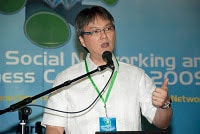
Agenda as follows:
- Lessons learned in making the decision from hobbyist to technopreneur.
- Lessons learned in running a paging franchise – EasyCall.
- Lessons learned as a Mozcom franchisee.
- Lessons learned in running a BPO / contact center in Pangasinan – Farmout.
- Lessons learned in current business: Bitstop, BNS, Future Gen International PTE Ltd.
- What characterizes an entrepreneur?
- Advice to college students and yuppies wanting to become technopreneurs.
- How can I prepare to become an entrepreneur / technopreneur?
- What to watch out for in running a start up?
- Why consider putting up a start-up business in Singapore?
- Suggested resources
Please fill-up this form to join the webinar.
Kindly expect Heidi Kleiber to send you an e-mail to confirm your registration to this free webinar.
BNS Hosting stream the Y rock year end event of Yahoo
BNShosting stream the Yahoo biggest, flagship, yearend event that will feature more than 20 OPM mainstream bands and this will happen on Dec 8 from 5 PM to 1 am. They also have aspiring artists that have picked individually. In short, this is a big event that is Yahoo! branded. Venue is at the SM Mall of Asia Concert Grounds.

For more information visit Yahoo Rock!
22 Essential Tools for Testing Your Website’s Usability
A site’s ease of use, or its usability, is an integral part of its success, especially with websites becoming more and more interactive, complex and packed with features. User-centered design is all about building websites that fulfill the goals and desires of its users, and at the heart of this concept is that a user must be able interact with your website effectively.
Testing usability is an art and a science. There are many times when usability testers rely on qualitative measurements, intuition, opinions and feedback from users and experience. However, there are also factors you can test quantitatively to ensure that a site is usable.
In this post, we’ll discuss six crucial factors that affect usability. For each, you’ll be provided with some tips, tools and ideas on how you can measure these usability factors.
We’ll focus on practical usability testing, so the emphasis is on pragmatic and inexpensive strategies that most site owners can do. These things apply regardless of what type of website (blog, e-store, corporate site, web app, mobile device, etc.) you’re evaluating.
APNIC 33 Conference 2012
The APNIC Conference brings together Internet and networking experts from around the Asia Pacific region to network with colleagues, attend plenaries and tutorials, and discuss policies. More…
BNS attend South East Asian Sharepoint Conference 2011
Bitstop President Mr Wilson Lee Chua attended the South East Asia Sharepoint Conpference November 8-9, 2011 in Singapore. One of the featured speaker Ryan Duguid, Senior Product Manager, ECM and Compliance, Microsoft.
South East Asian Sharepoint Conference 2011 tackled different topics and idea’s from the featured speakers. The key notes for the two days conference are “Microsoft Vision” and “Tales from the Field: Your Checklist for Successful SharePoint Governance” respectively.
See the Full Agenda of South East Asian Sharepoint Conference 2011
Mr. Chinkee Tan won the 20th Golden Dove Award
BNS hosting like to express warm congratulations to one of their valued client Mr Chinkee Tan for winning the 20th Golden Dove Awards.
BNS to Attend TechVenture 2011 Event
BNS President Mr Wilson L. Chua is attending the TechVenture 2011 event in Marina Bay Sands Singapore. One of the featured speakers among a list of luminaries is Eduardo Severin, one of the founders of Facebook.
TECHVENTURE 2011
Now in its pivotal 15th year, TECHVENTURE is set to welcome the most seminal speakers of their respective fields. Be informed and inspired by their vital ideas and leading perspectives.
TECHVENTURE 2010
Philippine Data Center
BNSHosting now offers support for hosting on a per rack basis. This is specially suited for large applications developers that need their servers to be hosted in a Philippine Data center on a per rack, half rack or quarter rack basis. Each rack can support 42U (20 2U servers)
Each full rack in our Philippine data center offers :
- Dedicated Firewall with VPN server
- Up to 64 IP address per full rack mount rentals
- Dedicated 24port Gigabit switch
- 15 amp power supply
Benefits:
1. Great Peering. Faster connections.
BNSHosting is a favored location by applications developers that are looking for Philippine data centers that provide seamless interconnectivity among the Philippines various carriers. BNSHosting boast of connectivity either directly or thru our various peering agreements to all of the Philippines’ premier telephone/carriers- PLDT, Digitel, Globe, Bayantel, Eastern Telecoms to name but a few.
BNSHosting is a favored location by applications developers that are looking for Philippine data centers that provide seamless interconnectivity among the Philippines various carriers. BNSHosting boast of connectivity either directly or thru our various peering agreements to all of the Philippines’ premier telephone/carriers- PLDT, Digitel, Globe, Bayantel, Eastern Telecoms to name but a few.
2. Reliable Power Source
BNSHosting is the only Philippine Data Center that is hooked up to a utility line with 3 separate feeder source. In addition, BNShosting facility is backed up with two 50KVA diesel generators for emergencies.
BNSHosting is the only Philippine Data Center that is hooked up to a utility line with 3 separate feeder source. In addition, BNShosting facility is backed up with two 50KVA diesel generators for emergencies.
3. Lower Operating Costs.
BNSHosting is the only philippine data center that is located outside of Metro Manila, which means that our lower cost location enables us to pass on the savings in terms of lowest pricing to our clients!
Interested parties are urged to contact us at team[at]bnshosting.net
4. 24×7 Operations
Our philippine data center is monitored by our team on a 24×7 basis using industry standard SNMP protocol and Solar Winds’ Orion Monitoring system. We can be reached by phone (PH, SG, US numbers), email or Live Chat on our website.
Our philippine data center is monitored by our team on a 24×7 basis using industry standard SNMP protocol and Solar Winds’ Orion Monitoring system. We can be reached by phone (PH, SG, US numbers), email or Live Chat on our website.
Interested Parties are urged to contact us via email (team[at]bnshosting.net) or live chat